While working on a web API project which required the use of mongodb, I had to switch the configuration from a single node setup to running a replicaset in order to test MongoDB changestreams. While it is straightforwards to run a single node mongoDB database, it gets a bit challenging to run a multi node replicaset using docker compose.
As per the example provided on the official mongodb website, you can use the following bash script to set up a 3 node replicaset:
#!/usr/bin/env bash


docker network create mongoCluster

docker run -d --rm -p 27017:27017 --name mongo1 --network mongoCluster mongo:latest mongod --replSet myReplicaSet --bind_ip localhost,mongo1

docker run -d --rm -p 27018:27017 --name mongo2 --network mongoCluster mongo:latest mongod --replSet myReplicaSet --bind_ip localhost,mongo2

docker run -d --rm -p 27019:27017 --name mongo3 --network mongoCluster mongo:latest mongod --replSet myReplicaSet --bind_ip localhost,mongo3

docker exec -it mongo1 mongosh --eval "rs.initiate({
 _id: \"myReplicaSet\",
 members: [
   {_id: 0, host: \"mongo1\"},
   {_id: 1, host: \"mongo2\"},
   {_id: 2, host: \"mongo3\"}
 ]
})"
However, I still need to login to the running primary container in order to run additional scripts such as setting up an application database and users.
The mongodb container has the ability to run custom setup scripts mounted into the /docker-entrypoint-initdb.d directoty. It supports both .js files which are executed by mongosh and .sh files which are executed by the shell. An ideal approach would be to use docker compose to orchestrate the setup. The docker compose would need to overcome the following issues:
- Mounting a custom keyfile to fix the authentication error for running containers in a replicaset.
- Running the custom setup scripts to initialize the application database and users.
- Running a utility container such as mongo express for development.
The gist below is a complete docker compose template I used to overcome the issues mentioned above:
We designate mongo1 as the primary node. We overwrite the entrypoint script to generate a custom keyfile usig openssl. Note that this should be outside of the template but for brevity we leave it in for now. This is the part that failed for me and after numerous attempts, one of the key point is to chown the keyfile to the mongodb group and user and shown on line 9. We proceed to initialize the replicaset on line 10, passing in the keyfile and replicaset name.
Note that we also saved the keyfile in a shared volume of sharedconfig which makes the keyfile accessible to the other containers. The setup for mongo2 and mongo3 remains the same as mongo1 but passing the arguments directly into the entrypoint script of the container.
On line 24, we mount a user script to create the application database and user:
db = db.getSiblingDB(process.env.MONGO_INITDB_DATABASE);

db.createUser({
    user: process.env.MONGO_USER,
    pwd: process.env.MONGO_PASSWORD,
    roles: [{
        role: 'readWrite',
        db: process.env.MONGO_INITDB_DATABASE,
    }]
});

db.createCollection("uploads", {changeStreamPreAndPostImages: { enabled: true }});
The script initializes the application database using db.getSibilingDB. By default, mongosh defaults to using the test database. It proceeds to create a database user which is used by the application to connect to the database. The user has read write permissions on the database. It continues to create a collection which has MongoDB changestreams enabled.
In line 65, we included a new container called mongo-setup. This is like a utility container that runs mongo-setup.sh to register the nodes of the replicaset:
#!/usr/bin/env bash


# Wait until the mongo-master responds
until mongosh --host mongo1 -u ${MONGO_DB_ROOT_USERNAME} -p ${MONGO_DB_ROOT_PASSWORD} --eval "db.adminCommand('ping')" > /dev/null 2>&1; do
  sleep 2
done

echo "mongo1 is ready. Initiating replica set..."

mongosh --host mongo1 -u ${MONGO_DB_ROOT_USERNAME} -p ${MONGO_DB_ROOT_PASSWORD} --eval "try { rs.status() } catch (err) { rs.initiate({_id:'rs0',members:[{_id:0,host:'mongo1:27017',priority:2},{_id:1,host:'mongo2:27017',priority:1},{_id:2,host:'mongo3:27017',priority:1}]});}"
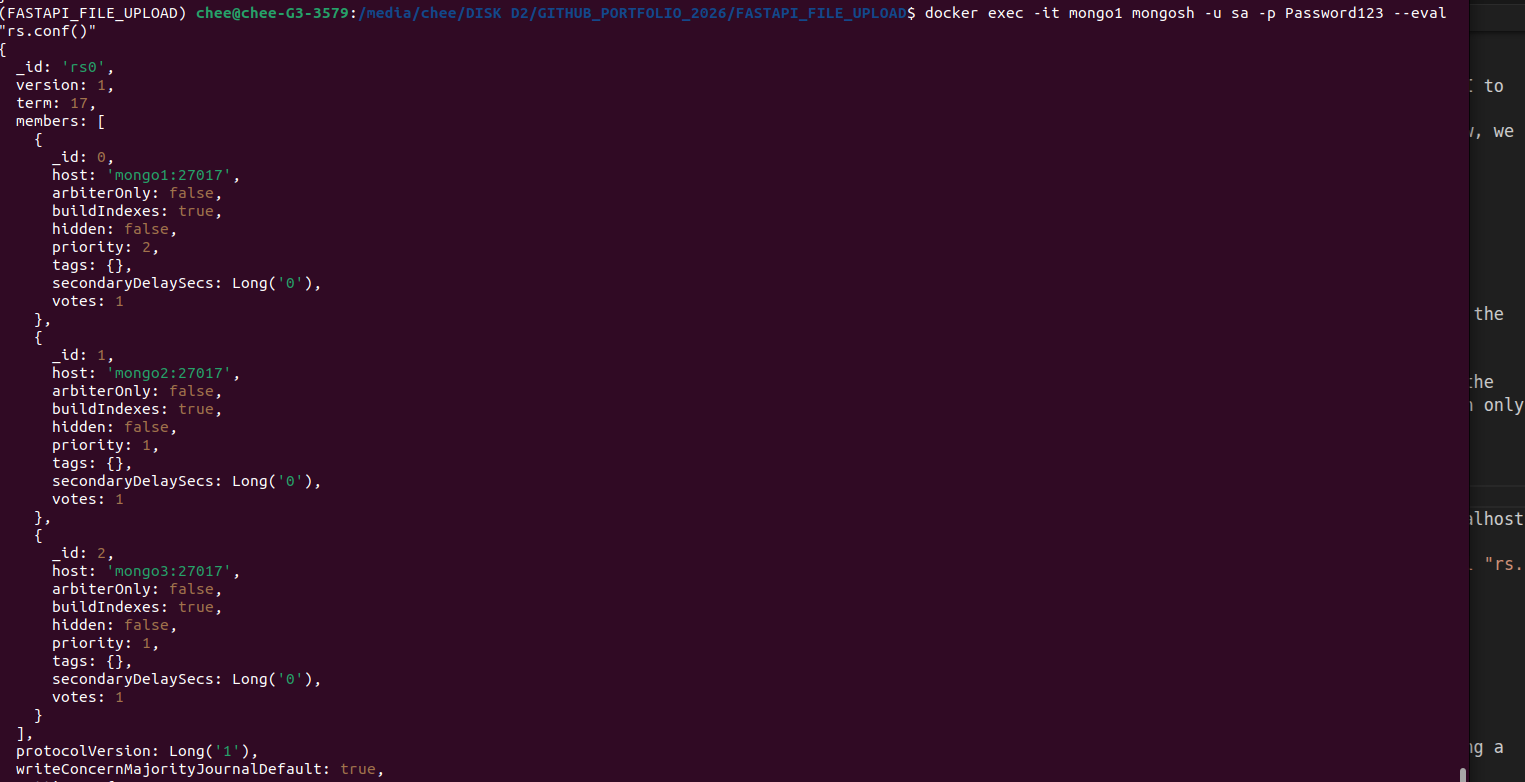
The script checks that the primary is ready and once it is, it runs the rs command to register all three nodes into a replicaset based on a priority order:
rs.initiate({
  _id:'rs0',
  members:[
        {
            _id:0,host:'mongo1:27017',priority:2
        },
        {
            _id:1,host:'mongo2:27017',priority:1
        },
        {
            _id:2,host:'mongo3:27017',priority:1
        }
    ]
})
From the above, it adds all the mongo containers to the replicaset rs0 with mongo1 being the primary and the other containers are designated as secondary.
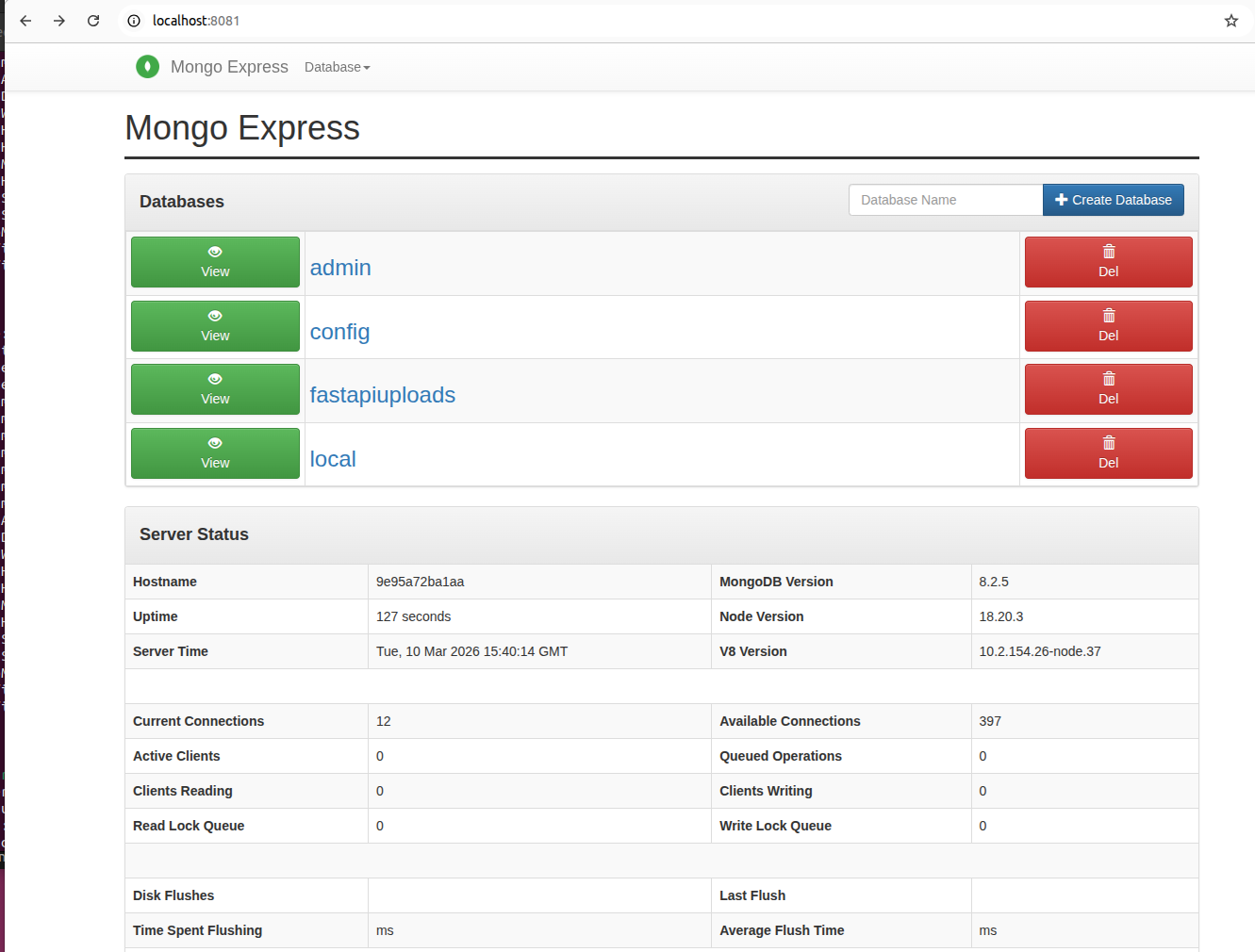
The final piece is to enable mongo-express to provide an admin UI to the database. This is shown in line 78 where we use the mongo-express image. Note that as we are running a replicaset now, we need to reference all 3 nodes as such:
mongodb://${MONGO_DB_ROOT_USERNAME}:${MONGO_DB_ROOT_PASSWORD}@mongo1:27017,mongo2:27017,mongo3:27017/?authSource=adminThe above would allow the container to access all the databases in the replicaset.
Note that we need to create a custom network which is used by all the containers as the database and replicaset initialization script can only reference hostnames.
Running docker exec -it mongo1 mongosh -u sa -p Password123 --eval "rs.conf()" on the primary shows the configuration of the replicaset:
The screenshot below shows mongo-express UI running.
While it is not perfect, it does solve the issue of manually running a custom shell script. The full gist can be viewed here.